Despite being my very first big KDE application, I tried to make the program as comfortable as possible; otherwise it would be pretty useless as a frontend
for such a complex application like lightflow. The goal of this project is not a complete editor for the python source code; there are enough programs
like emacs which can do this job, and its against my understanding of unix's toolbox concept when reinventing an already existing wheel... . Instead kMatEdit should
help you when writing code for complex objects like light sources, where the amount of parameters make it difficult to remember them all. The idea is, that you can
specify all required + wished optional parameters, and kMatEdit will produce the code in its main text widget after pushing the generate-button; then you could
grap it with cut&paste and include it in your python script.
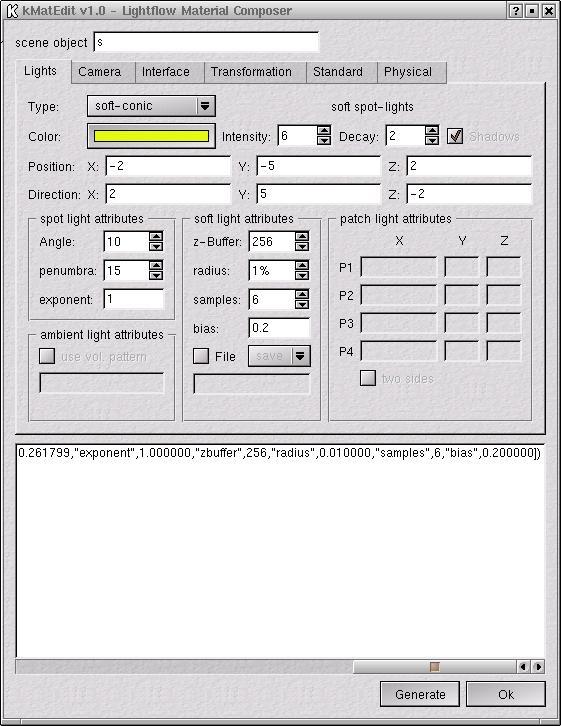
Looking at the screenshot of the light source menu you will see that only entries for possible parameters (dependent on the type of selected light source)
are activated.
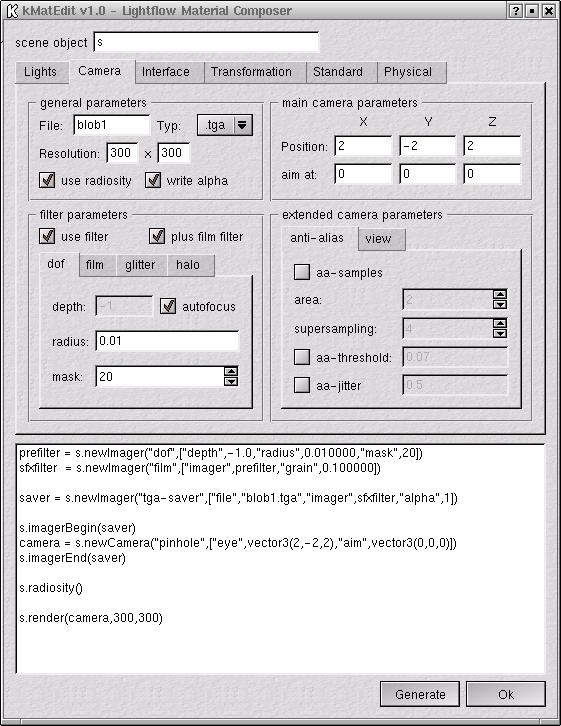
All optional parameters could be activated/deactivated via checkboxes,reducing the output to your requirements. I hope that the design of the GUI helps you to
navigate through the mass of parameters. Not depicted are the tooltips; nearly every widgets got a tooltip mostly extracted from the light flow manual.


